


How to Upgrade to Acumatica 2026 R1 to Use AI Assistant and Shop Floor Kiosk
What is required to use Acumatica AI Assistant or Shop Floor Kiosk?
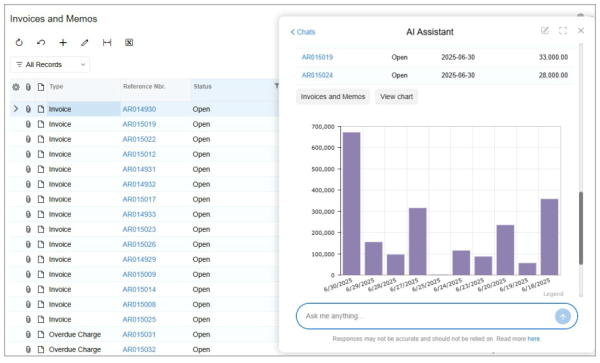
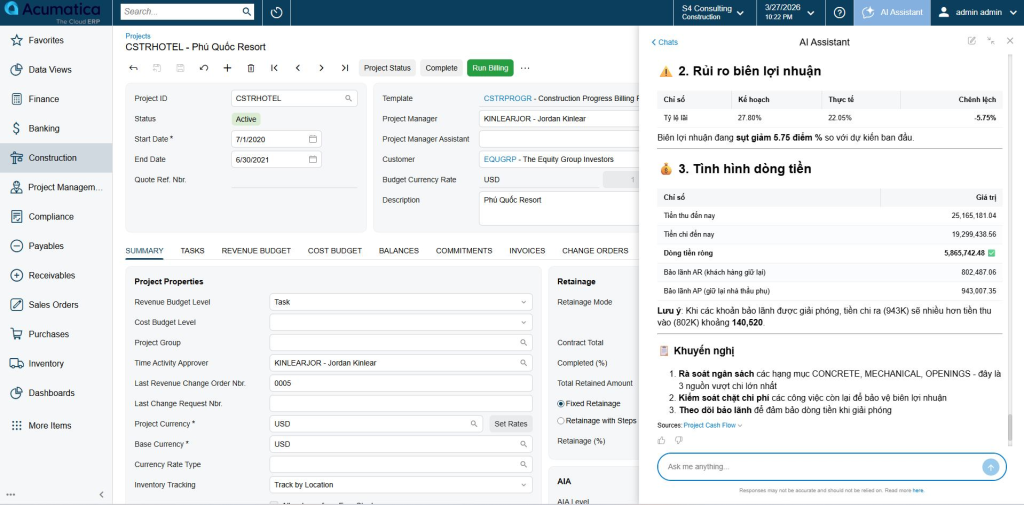
You must upgrade your system to Acumatica 2026 R1 (build 26.100.0175 or later). These features are only available starting from this release. Without upgrading, AI Assistant and Shop Floor Kiosk will not appear in the system.
Where to download Acumatica 2026 R1 packages?
Download from the official build repository:
- Update package (for in-app upgrade):
https://acumatica-builds.s3.amazonaws.com/index.html?prefix=builds/26.1/26.100.0175/Packages/ - Full installation package (for server upgrade fallback):
https://acumatica-builds.s3.amazonaws.com/index.html?prefix=builds/26.1/26.100.0175/AcumaticaERP/
How to upgrade Acumatica via Apply Updates (SM203510)?
Short answer: Upload the update package in screen SM203510 – Apply Updates, then execute the upgrade.
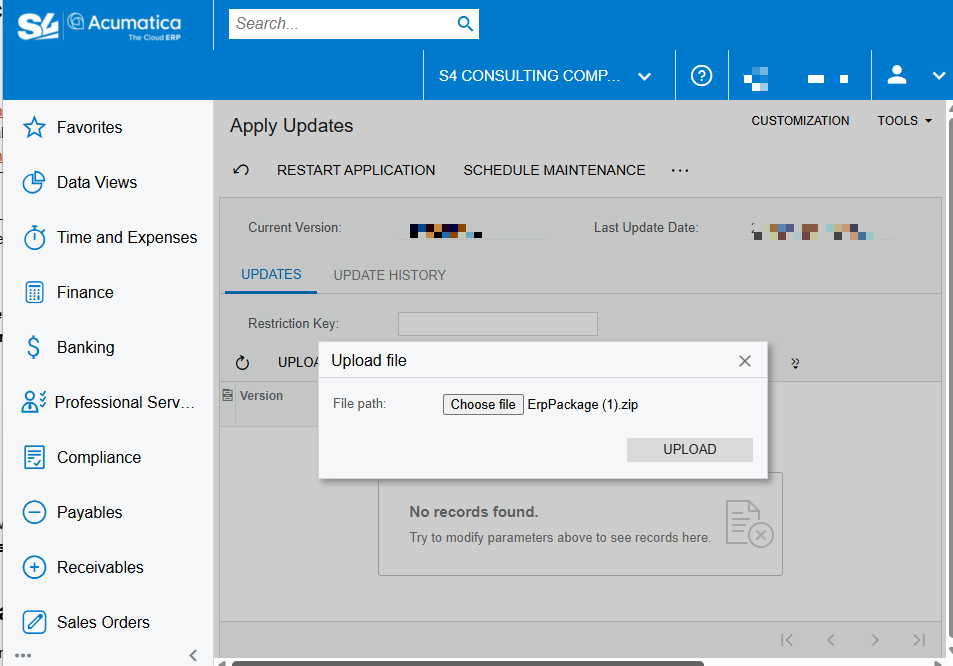
Detailed steps:
- Go to System Management → Apply Updates (SM203510)
- Ensure you are in the base tenant (lowest Tenant ID)
- Click Upload Custom Package
- Select file:
ErpPackage.zip - Click Upload
- Once validated, click Install Update
- Restart the application if required
Important note:
- Ensure no active users during upgrade window
- Always perform upgrade in Tenant 1 (or lowest tenant ID)
- Backup database before upgrading
What to do if upgrade fails (database error, validation error)?
If the system cannot upgrade via SM203510 (common errors: database mismatch, validation failure), switch to server-level upgrade.
How to upgrade using full installer (On-Premise)?
Short answer: Install new version on server, then upgrade database via Configuration Wizard.
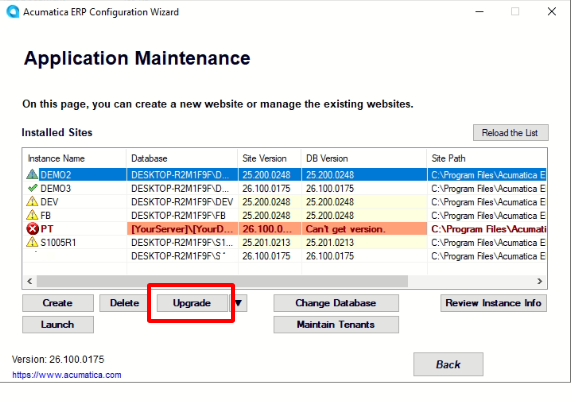
Steps:
- Download full package from link above
- Run installer directly on the Acumatica server
- After finish, open Acumatica Configuration Wizard
- Go to Application Maintenance
- Select your instance
- Click Upgrade
- Run Maintain Tenants → Upgrade
When to use this method:
- Apply Updates fails
- Major version jump
- Database schema conflict
What changes after upgrading to 2026 R1?
After successful upgrade:
- Acumatica AI Assistant becomes available
- Shop Floor Kiosk can be deployed for manufacturing
- New AI-driven financial features (e.g. AI Close, insights)
- Improved performance and UI responsiveness
In real implementations at S4 Consulting, most upgrade issues come from customization conflicts or outdated DAC extensions. Validating customization packages before upgrade significantly reduces risk.
Why choose S4 Consulting for Acumatica upgrade in Vietnam?
S4 Consulting is a Gold Partner of Acumatica in Vietnam, with hands-on experience upgrading complex environments including:
- Multi-tenant deployments
- Heavy customizations
- Integration with e-invoice, banking, and third-party systems
At S4 Consulting, we believe data drives profit optimization. Every upgrade is not just technical – it is an opportunity to restructure data for better decision-making.
FAQ
Do I need to uninstall old version before upgrading?
No. Standard upgrade keeps existing instance and upgrades database in-place.
Can I upgrade directly from older versions (e.g. 2023, 2024)?
Yes, but high version gaps increase risk. In practice, staging upgrade is recommended for heavily customized systems.
Will customization break after upgrade?
Possibly. Customization packages must be validated and sometimes recompiled for 2026 R1.
How long does upgrade take?
Typical duration:
- Small system: 1–2 hours
- Mid-size VN enterprise: 2–6 hours
- Large or customized: 1 day (including validation)
Is AI Assistant automatically enabled after upgrade?
No. Feature activation and configuration are required after upgrade.