

S4 eSuite · Expense Management Digitize Travel – Advance – Expense Claim.
Travel Request, Advance, and Expense Claim are fully digitized and connected directly to the accounting modules of Oracle NetSuite, SAP, Oracle Fusion, and Microsoft Dynamics 365.
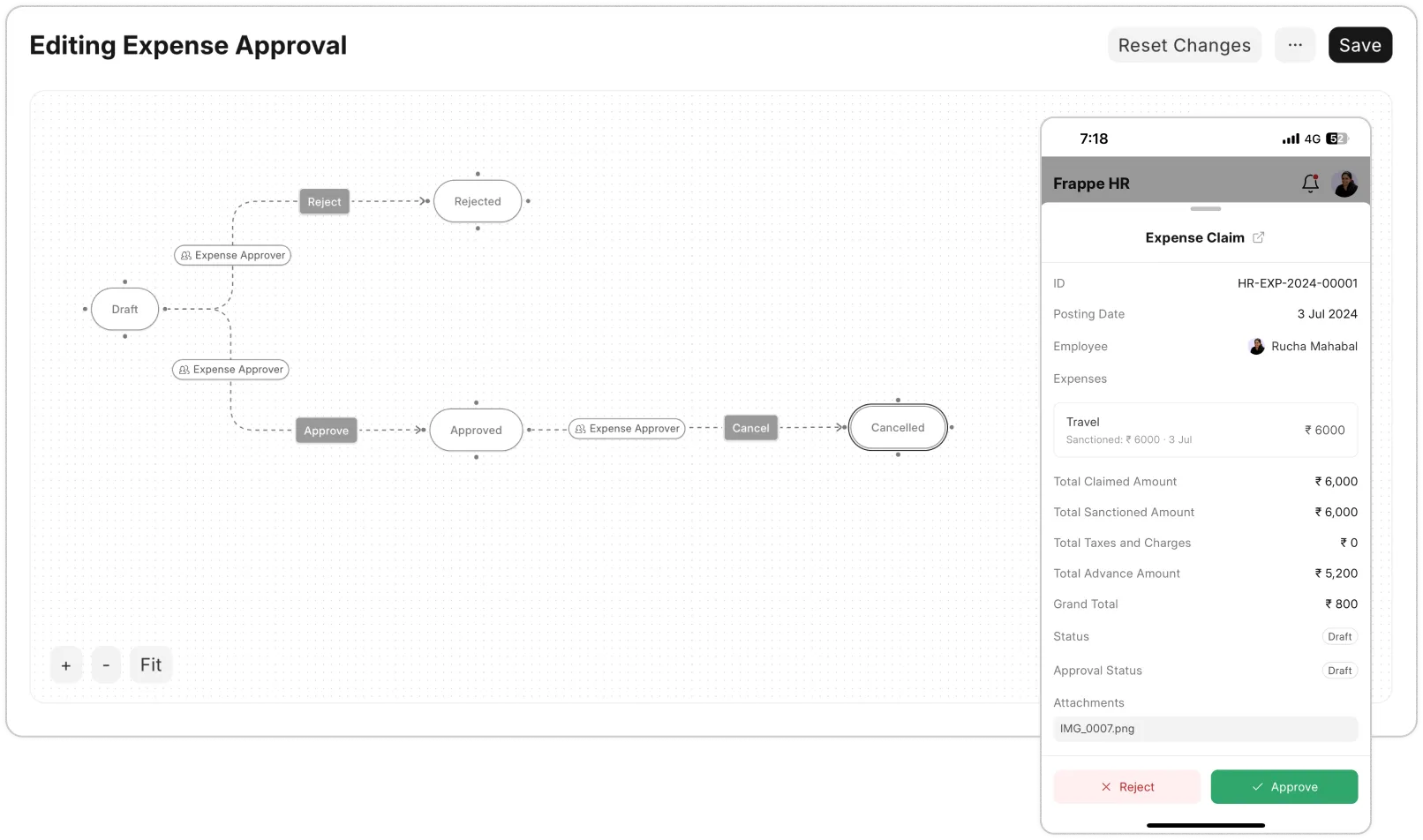
Automatically pull E-Invoices from the Tax Authority.
S4 eSuite automatically retrieves e-invoices from the Tax Authority’s system based on the invoice details provided. Employees never have to upload or re-enter invoice data, cutting errors and speeding up document review.
Seamless Integration with Leading ERP Systems
S4 eSuite Expense Management connects with the most popular ERP platforms, so you never have to replace your core system.



From travel request to expense claim, all on one platform.
S4 eSuite digitizes the entire travel and expense lifecycle – from Travel Request and Advance through Expense Claim – with automated approvals and transparent document reconciliation.
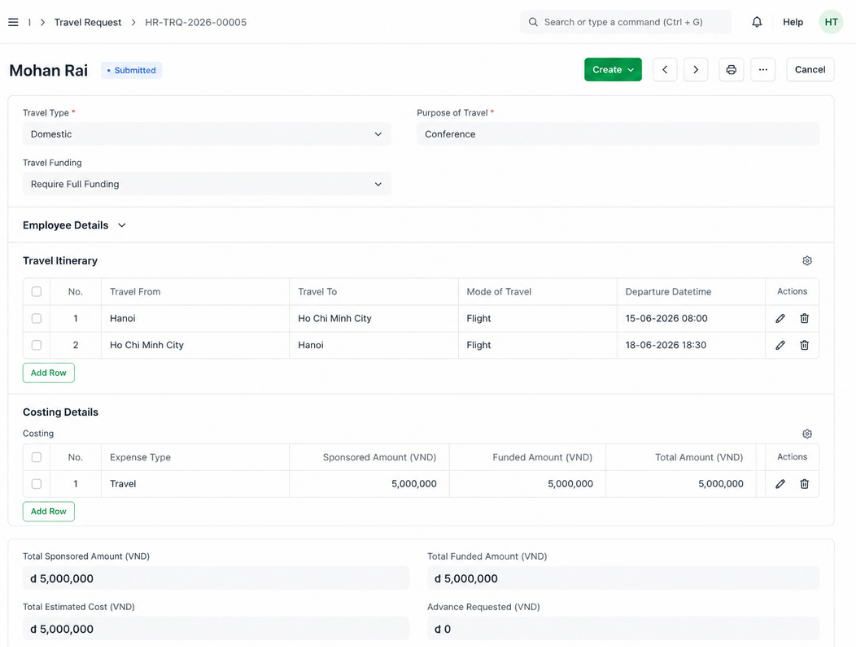
Digitize the Entire Travel Request and Approval Process
Employees create travel requests directly in S4 eSuite, entering dates, location, purpose, and related expenses. The approval routes automatically to the right manager before the trip takes place.
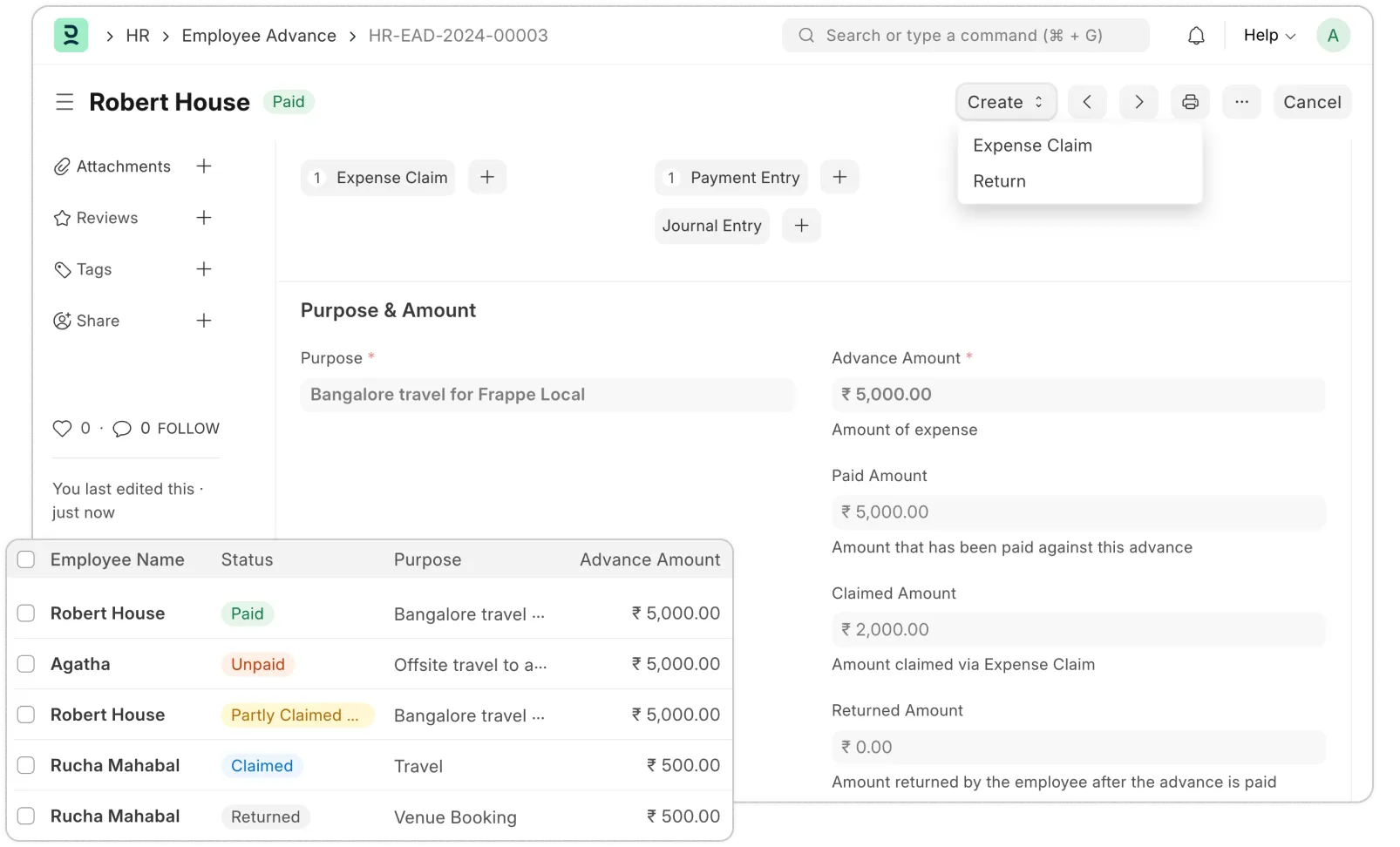
Transparent Advance Management, from Request to Payment
Employees can request an advance for a trip or other approved spending needs. S4 eSuite tracks the amount, purpose, timing, and approver, and monitors advance status to ensure every amount is used as intended.
Fast, Accurate Expense Claims with Full Documentation
After expenses are incurred, employees submit an expense claim, itemizing each cost with supporting documents. S4 eSuite automatically reconciles it against the advance, checks limits, and routes the claim through approval before it’s posted and paid.
Built for Mid-Size and Large Enterprises
S4 eSuite isn’t locked into a rigid ERP template – you can customize it deeply without writing a single line of code.
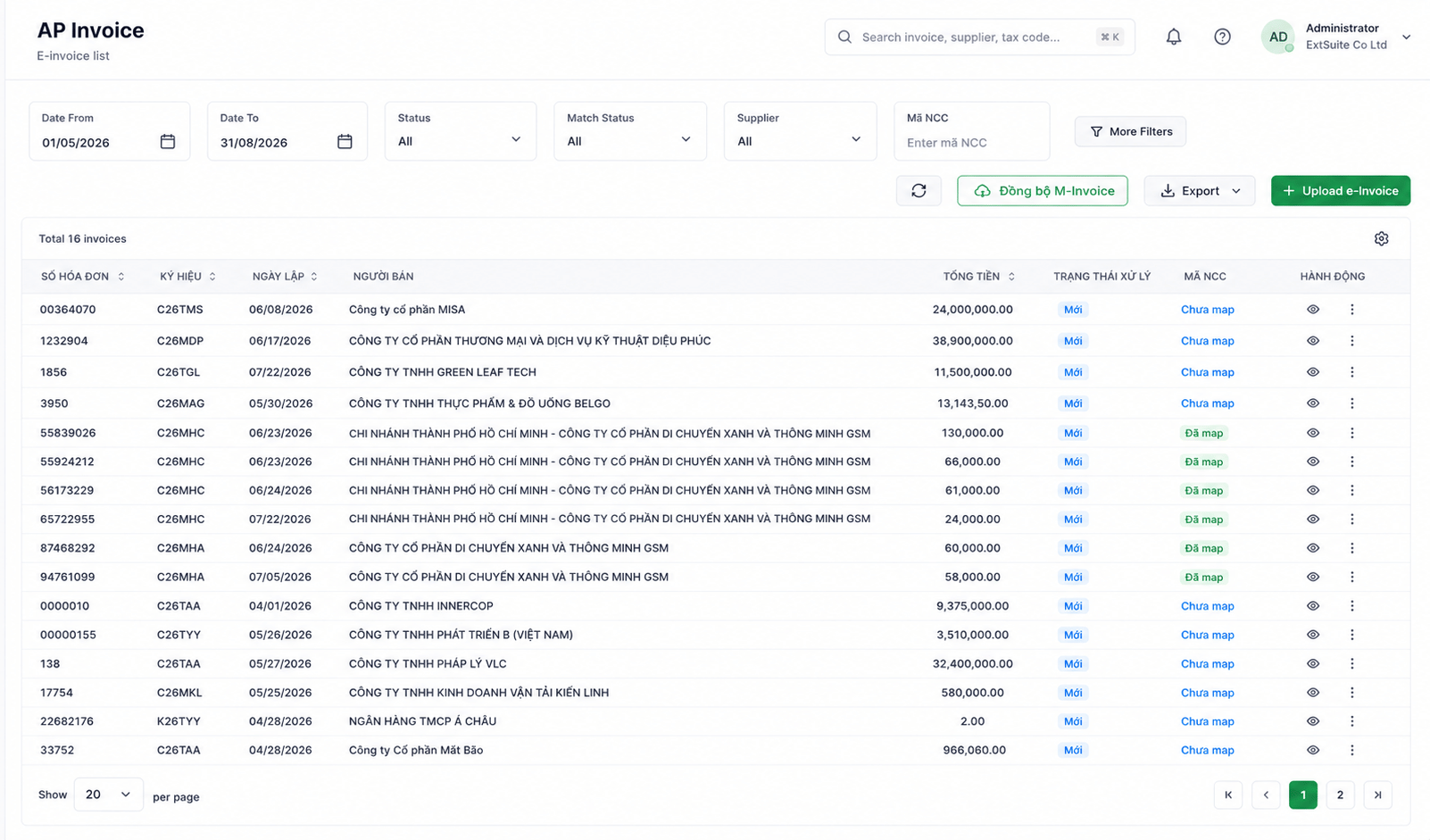
Flexible Approval Workflows, No Coding Required
Design approval workflows by department, job title, budget, project, expense type, or any other condition. When a process changes, just reconfigure the workflow – no need to touch the ERP.
Seamless Integration with Leading ERPs
Connects with SAP, NetSuite, Dynamics 365, Oracle Fusion, and more – data syncs both ways automatically, with no manual entry.
Centralized Management of Every Purchase Request
Employees across every department create Purchase Requests on a single platform. Track status from creation through approval, purchase, and completion – no more Excel and email chains.
Deep Customization for Your Business Needs
No rigid ERP template to work around. Customize forms, fields, budget categories, approval workflows, and the interface however your business needs.
Ready to Digitize Your Travel & Expense Process?
Talk to S4 for an implementation roadmap for S4 eSuite Expense Management tailored to your business.
Frequently Asked Questions
Answers to common questions about S4 eSuite’s Expense Management solution.
It’s a solution that fully digitizes the travel and expense process – Travel Request, Advance, and Expense Claim – connected directly to the accounting module of whichever Cloud ERP you’re running.
S4 eSuite works as a satellite application layer for your Cloud ERP. You can run Expense Management on S4 eSuite without buying a separate Expense Management module from your ERP.
Employees enter the dates, location, purpose, and estimated expenses for the trip. The request routes automatically to the right manager for approval before the trip takes place.
S4 eSuite tracks the amount, purpose, timing, and approver for every advance, and monitors its status through to use and settlement.
Yes. When an expense claim is submitted, the system automatically reconciles it against the corresponding advance, checks limits, and routes it through approval before posting and payment.
S4 eSuite automatically retrieves e-invoices from the Tax Authority’s system based on the invoice details provided, so employees never have to upload or re-enter invoice data.
S4 eSuite connects directly to the accounting modules of Oracle NetSuite, SAP, Oracle Fusion Cloud, and Microsoft Dynamics 365.
It’s a great fit for businesses whose employees travel frequently and regularly need advances and expense claims – especially those already running on an ERP platform like NetSuite, SAP, Oracle Fusion, or Dynamics 365.

Need a trusted ERP partner in Vietnam? Let’s discuss your project!