


S4 eSuite · Point of Sale Point of Sale Built Directly Into Your Cloud ERP.
Counter sales, inventory management, and accounting all on one platform – no manual syncing required. At the end of every shift, POS transactions consolidate automatically and post directly to Oracle NetSuite, Oracle Fusion, SAP Public Cloud, and Microsoft Dynamics 365.
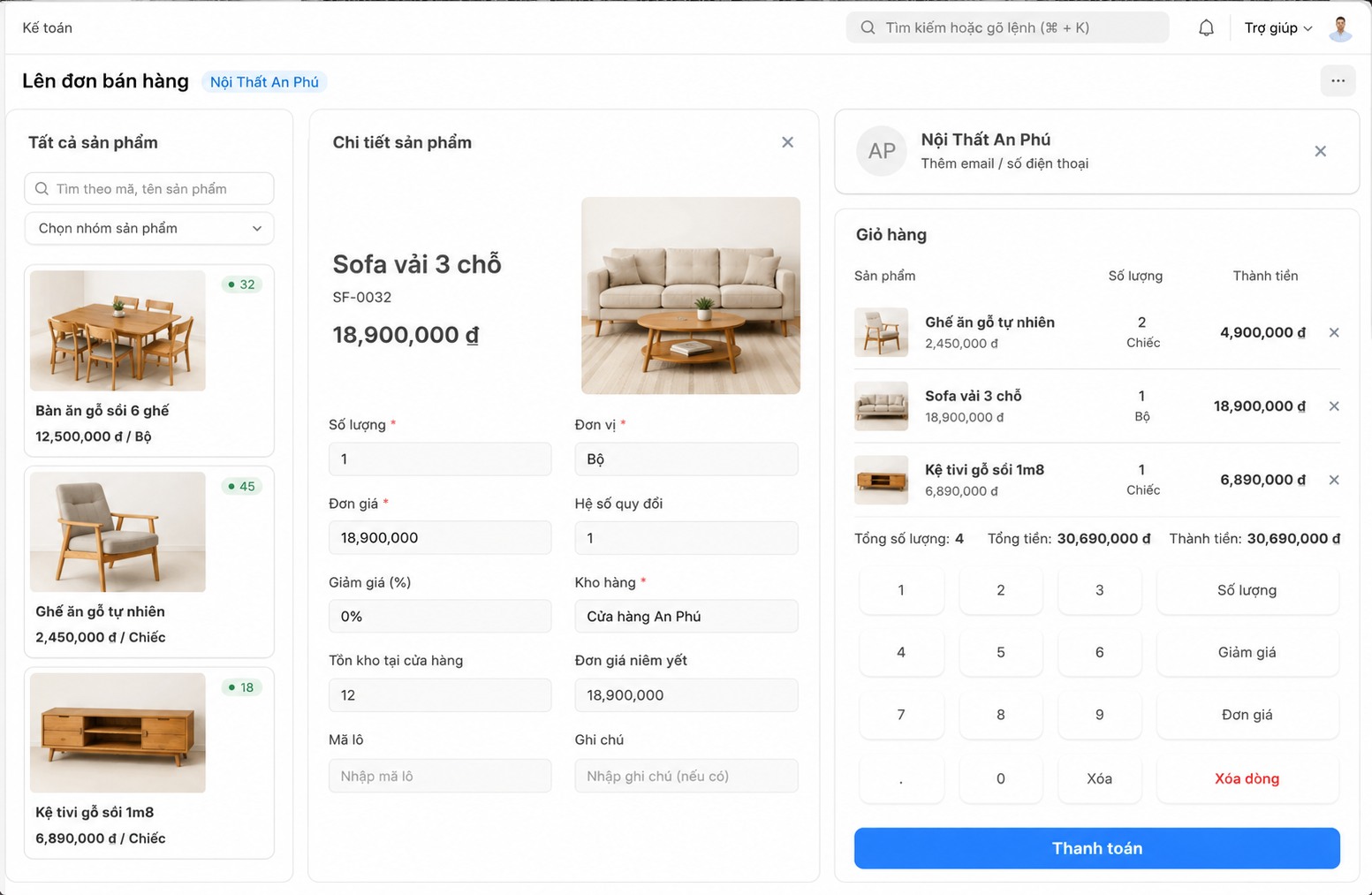
From item catalog to shift close, running seamlessly on one platform.
S4 eSuite standardizes the entire in-store retail process – from item setup and store management to checkout, payment, and shift open/close – syncing directly with your ERP.
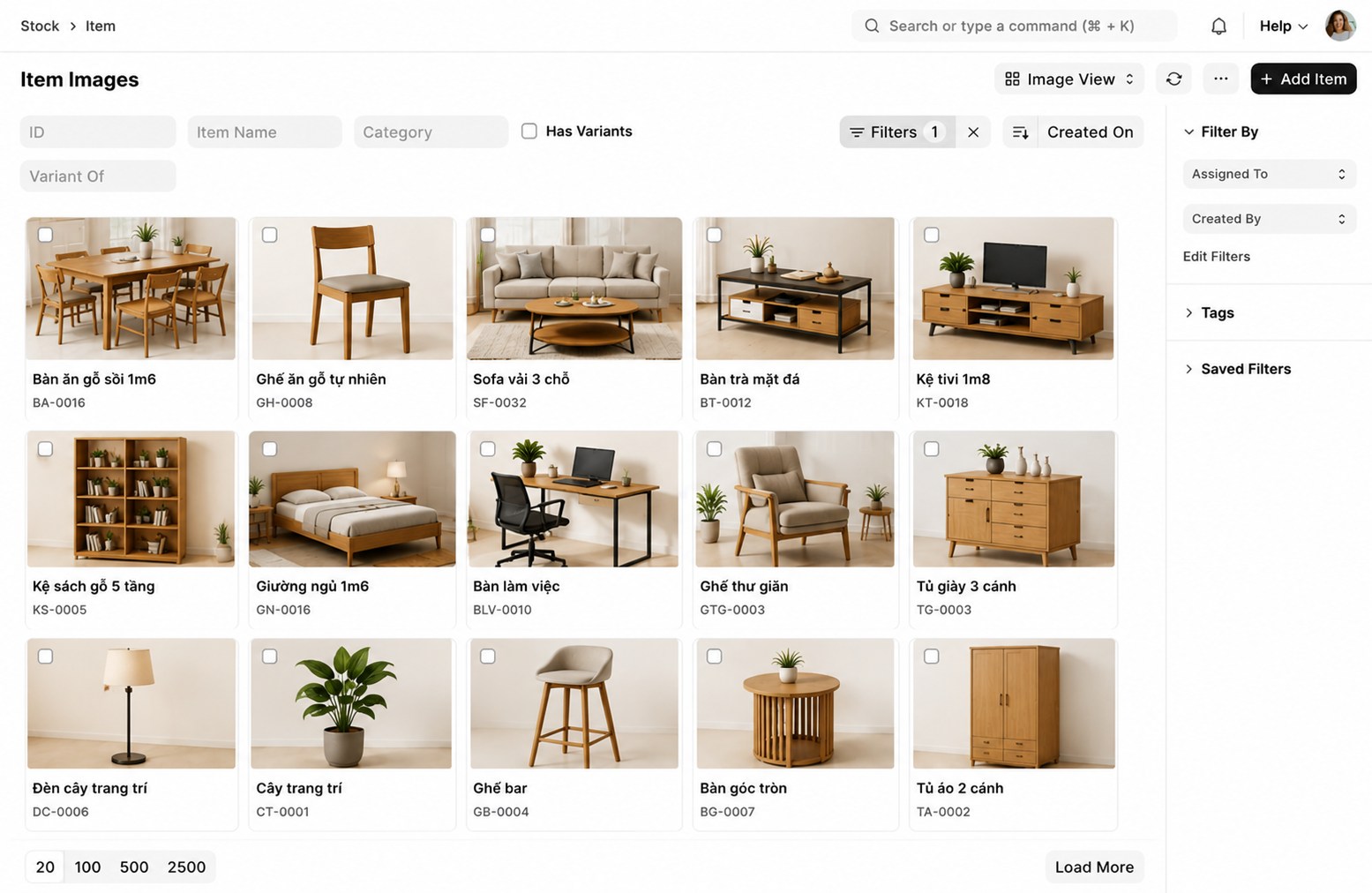
Centralized Item and Price Management
The item is the core unit for tracking inventory. Assign a barcode to each item for fast, accurate lookup at checkout. For perishable goods, organize stock by batch with expiration dates. If prices vary by location, set store-specific pricing to keep every store charging the right price.
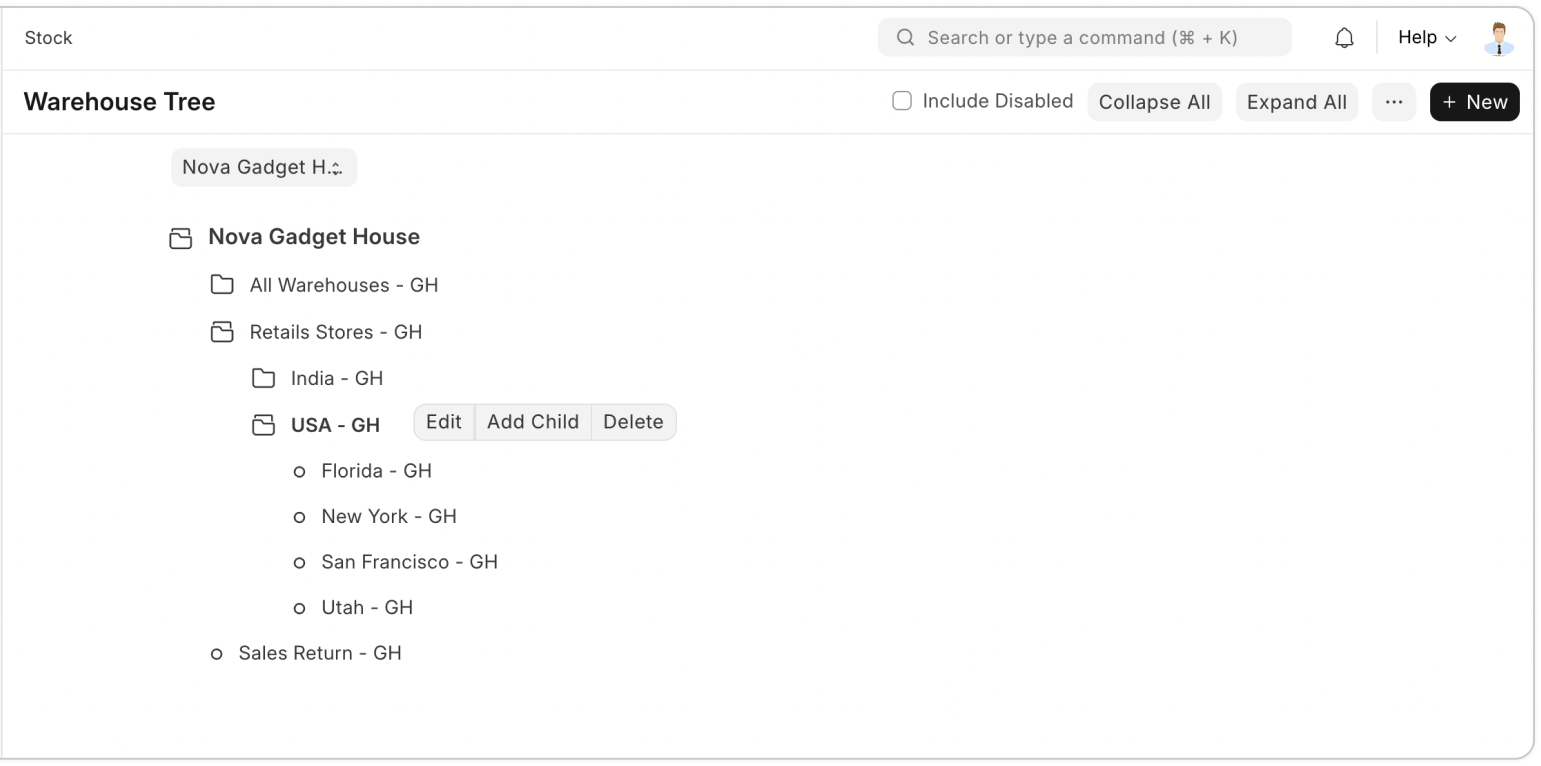
Set Up Multiple Stores in Just a Few Clicks
Create a dedicated warehouse for each store and track every inventory movement in real time – receipts, issues, and goods in transit. Assign specific permissions for transfer, invoicing, and collection roles to keep accountability clear. Track profitability by store to optimize operations chain-wide.
Flexible Billing Counter Management
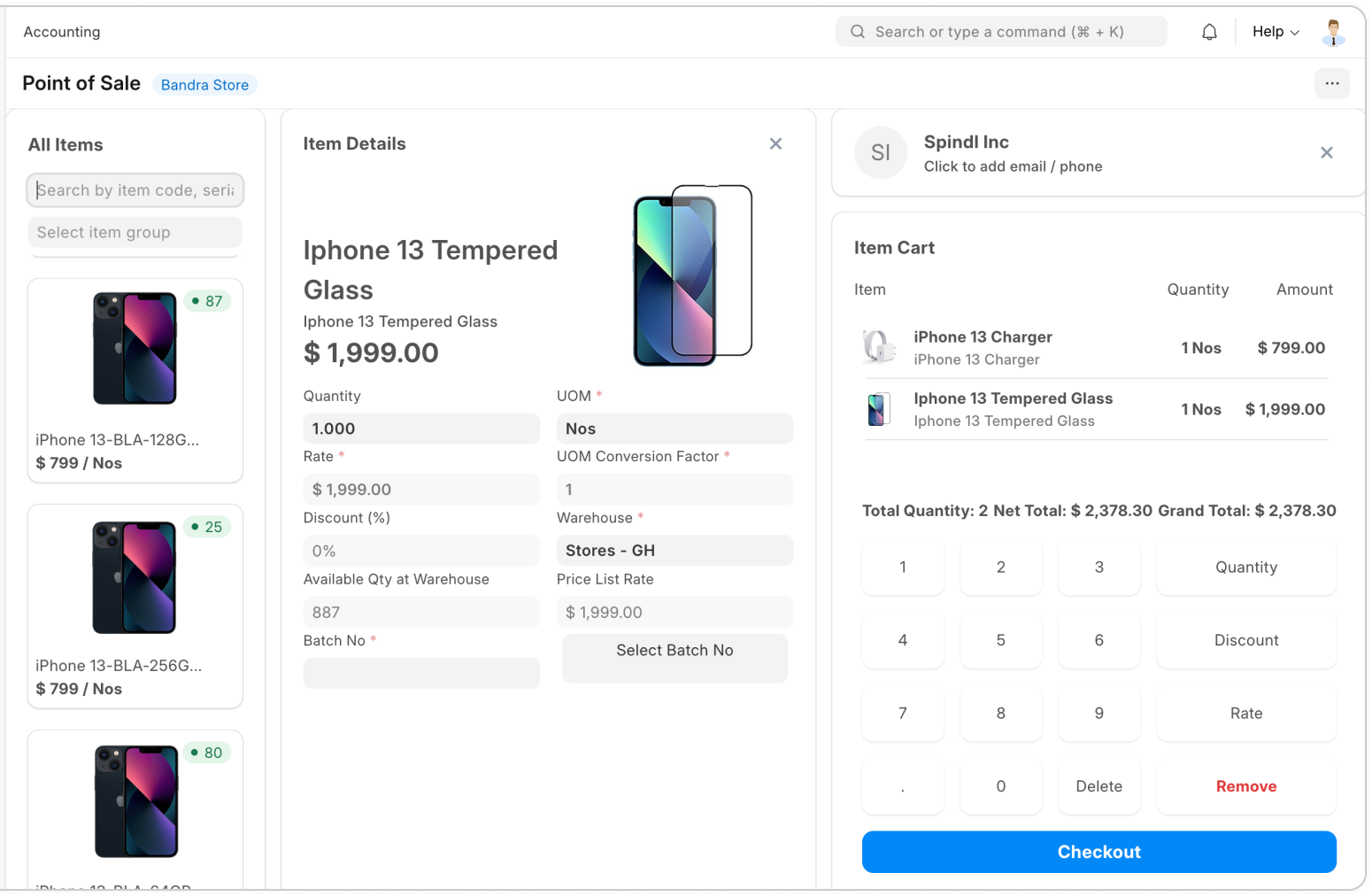
Assign a dedicated POS user to each billing counter, with default customer, warehouse, and payment method already configured. Scan barcodes for fast item lookup, apply active promotions automatically, and let customers redeem loyalty points right at checkout.
Flexible Payments, Accurate Invoices
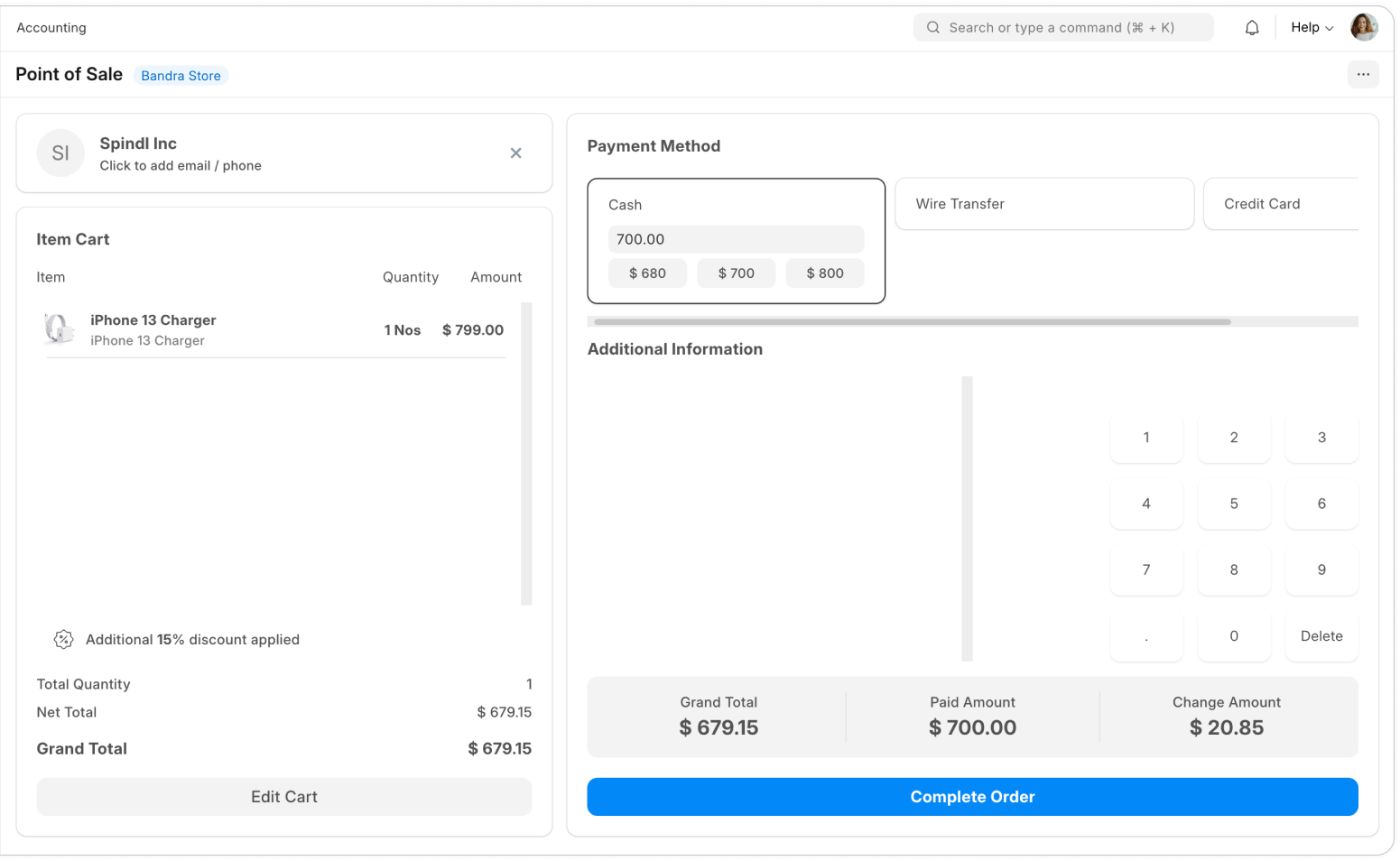
Offer a range of payment methods for customer flexibility. The system automatically calculates change, keeping every transaction accurate and error-free. Pre-built print templates are optimized for POS receipt printers, so invoices print fast and look professional.
Structured Shift Open and Close
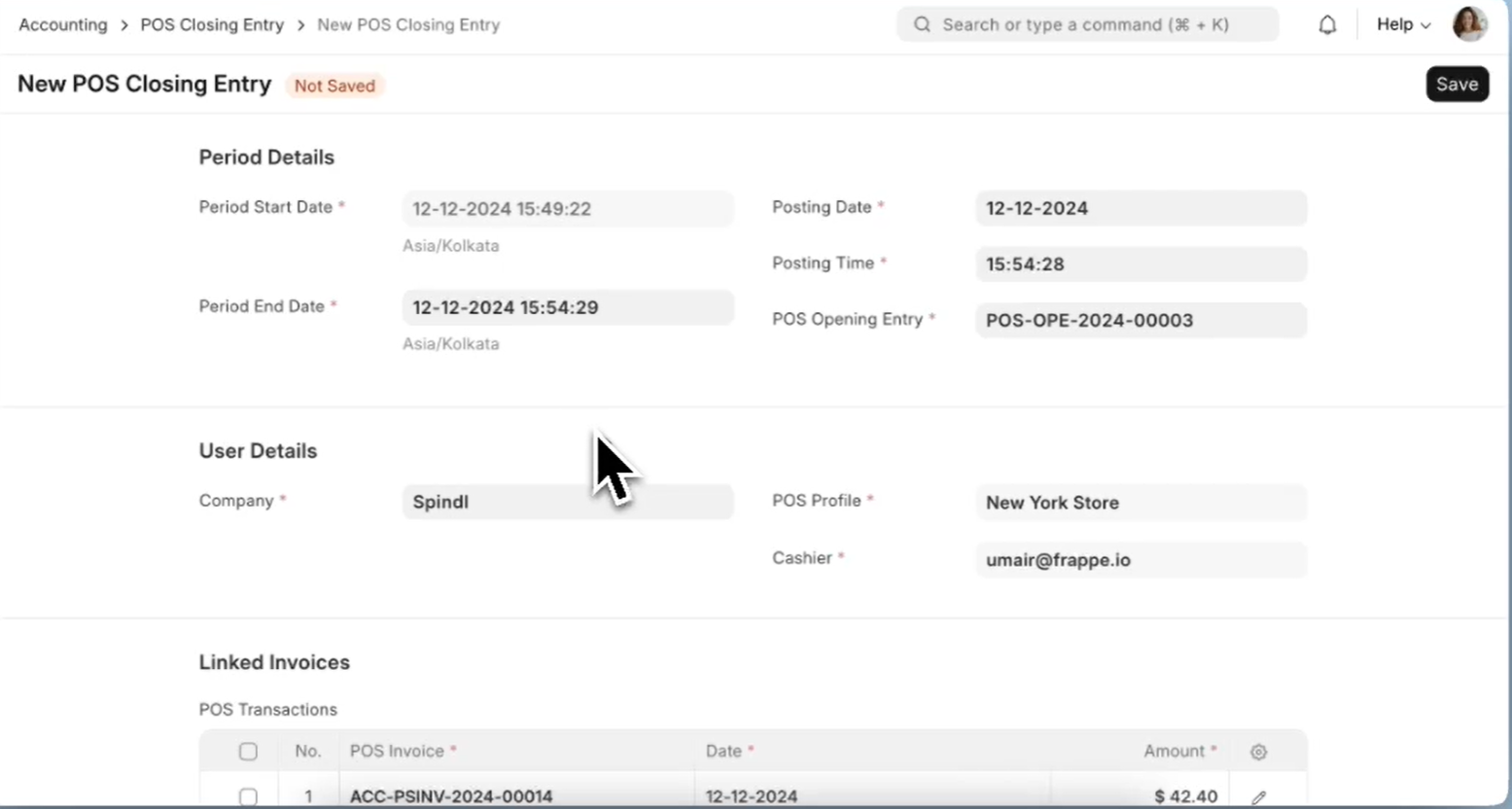
Each billing counter follows a full shift open and close process, with collection details updated throughout the shift. At close, the system generates a consolidated invoice covering all of the day’s POS transactions – streamlining posting while preserving every individual transaction’s detail.
Seamless Integration with Leading ERP Systems
S4 eSuite Point of Sale connects with the most popular ERP platforms, so you never have to replace your core system.



Built for Retail Chains
Runs smoothly on any device and scales flexibly as your store network grows.
Multi-Device, Multi-Platform
The POS interface is optimized for touchscreens and runs smoothly on POS terminals, desktop, tablet, and mobile phones.
Cloud & On-premise
Deploy flexibly on cloud or on-premise, based on the infrastructure and operating policies of each retail chain.
Track Profitability by Store
Track business performance store by store, giving you the data to optimize operations across your entire retail network.
Request a DemoReady to Speed Up Your Counter Sales?
Talk to S4 for an implementation roadmap for S4 eSuite Point of Sale tailored to your retail operation.
Frequently Asked Questions
Answers to common questions about S4 eSuite’s Point of Sale solution.
It’s a counter-sales solution that pairs a friendly checkout interface with full ERP functionality – item catalog, stock issuance, and payment, all on one platform, connected directly to your accounting system.
Yes. The interface is optimized for touchscreens and runs smoothly on POS terminals, desktop, tablet, and mobile phones.
Yes. Each store can have its own dedicated warehouse for real-time inventory tracking, along with specific role-based permissions.
Yes. The system automatically applies active promotions and lets customers redeem loyalty points right at checkout.
At the end of each shift, the system consolidates every transaction from that shift into a single invoice for posting to the general ledger, while still preserving full detail for each individual POS transaction.
Each billing counter follows a full shift open and close process, with collection details updated throughout the shift to ensure accurate end-of-day reconciliation.
S4 eSuite connects directly to Oracle NetSuite, Oracle Fusion Cloud, SAP Public Cloud, and Microsoft Dynamics 365.
It’s a great fit for retail businesses with one or more stores that need real-time sync of sales, inventory, and accounting data on their existing ERP platform.

Need a trusted ERP partner in Vietnam? Let’s discuss your project!