

ERP Integration with n8n and AI Assistants in One Day: Reality, Conditions and Limits
ERP integration with n8n, combined with AI coding assistants, can be completed in about one working day for common flows such as e-invoicing, bank statements, POS, Zalo notifications or synchronizing subsidiary balances to the parent company, provided the API already exists, documentation is clear and data is clean. For two-way integrations with many statuses, historical data migration or consolidation logic, the real timeline is longer and requires a strict governance process.
This article by S4 Consulting - Acumatica Gold Partner in Vietnam and Oracle NetSuite consulting firm - describes the realistic scope, prerequisites, risks and governance needed so that “one day” does not turn into technical debt for the finance and IT teams that must run these integrations every day.
How do n8n and AI coding assistants support ERP integration?
n8n is a fair-code platform for building workflows and AI agents that can be self-hosted or used in the cloud, combining a drag-and-drop interface with JavaScript, Python and npm libraries, plus hundreds of prebuilt integrations. AI coding assistants let engineers describe a requirement in natural language so the AI generates code, which the engineer then reviews and adjusts. Put together, n8n handles orchestration such as schedules, API calls, error handling and notifications, while the AI coding assistant helps write data transformations, field mappings or custom nodes quickly. This is why integration costs have fallen sharply, as analyzed in the article on enterprise architecture in the AI era.
Which ERP integrations can be built in about one day?
One-way flows with clearly defined data objects and stable APIs are the best candidates. The table below shows a realistic scope when the prerequisites are in place:
| Integration | Feasible scope in about one day | Prerequisites |
|---|---|---|
| E-invoicing | Push approved invoices from ERP to the provider, receive the invoice number and lookup code | Provider API, invoice template, test account |
| Banking | Receive statements, suggest matches against receipts and payments in ERP | API or standard statement file, matching rules |
| POS | Summarize end-of-day revenue by store, create sales documents | Store and item master data already mapped |
| Zalo notifications | Send approval notifications and receivable reminders to the people in charge | Zalo Official Account, approved message templates |
| Subsidiary to parent | Synchronize period-end account balances to the tier-1 ERP | Chart of accounts mapping table, closing calendar |
Each flow above is a working version covering the main scenario and basic error handling, not every exception that arises in real operations.
What needs to be prepared before starting?
The factor that decides speed is not the tool but the preparation. The required conditions are:
- API and access rights: integration account, API keys and test environment already issued; least-privilege permissions matched to the need.
- Clean master data: customer, item, store and account codes already aligned between the two systems.
- A short specification: one page describing source, target, frequency, data fields, error rules and alert recipients.
- Test scenarios: sample data for correct, incorrect, duplicate and missing cases.
- Business users involved: accountants or operations staff confirm results on the same day.
Fast Integration, Solid Architecture: Meet Us on the Evening of 19/11
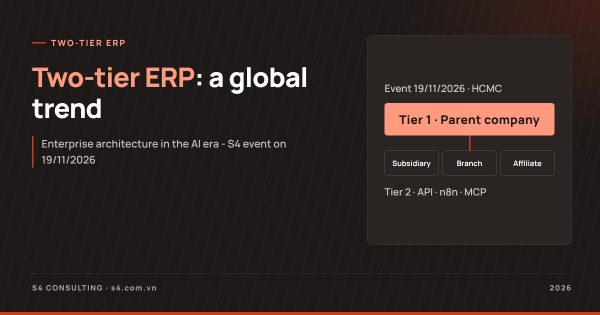
Enterprise architecture in the AI era and two-tier ERP for multi-entity groups, 18:30 - 21:15, Thursday 19 November 2026, Ho Chi Minh City.
What is the biggest risk of fast integration?
The biggest risk is a version that works but is not governed. AI-generated code may be correct for sample data but wrong for edge cases such as adjustment invoices, foreign-currency transactions or cancelled documents. API keys stored unencrypted in a workflow can be exposed. A workflow that fails silently without anyone noticing will distort the figures until the period close reveals the problem. In addition, when many people build their own workflows, a company can easily end up with dozens of undocumented connections with no owner. Speed must therefore come with code review, testing and monitoring.
What does governance of ERP integration with n8n require?
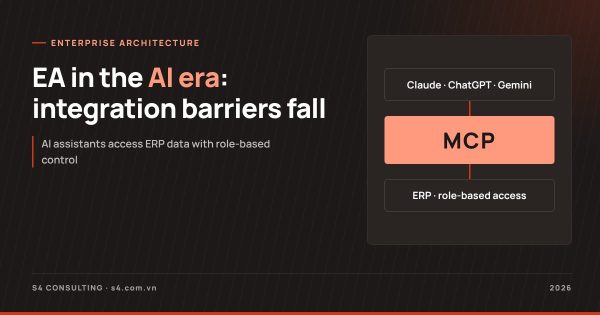
It requires a light but mandatory set of rules applied to every workflow. First, version control: store workflow definitions and custom code in a code repository with change history. Second, secret management: use the n8n credential store or a secret management service, and never hard-code keys. Third, monitoring: every workflow has logging, error alerts by email or Zalo and a periodic summary report. Fourth, environment separation: test on an ERP sandbox before going live. Fifth, an integration catalog: record the owner, purpose, frequency and related systems of each flow. n8n also provides an MCP Server Trigger node that exposes workflows as tools for AI assistants to call via MCP; when this layer is opened, permissions and the scope of actions must be tightly controlled.
When can an ERP integration not be finished in one day?
When the problem goes beyond a simple one-way data flow. Typical cases include: two-way synchronization of orders or inventory with many statuses and data conflicts; migration of many years of historical data from a legacy system; source systems without an API or with poorly documented APIs; consolidation logic involving intercompany transactions, currency translation and eliminations; and complex audit or permission requirements. In these cases n8n and AI assistants still shorten the timeline, but the work must be planned in weeks, with architecture design and full business testing. This is also why the two-tier ERP model needs account mapping and master data rules before any discussion of tools.
Which ERP platform makes integration easier?
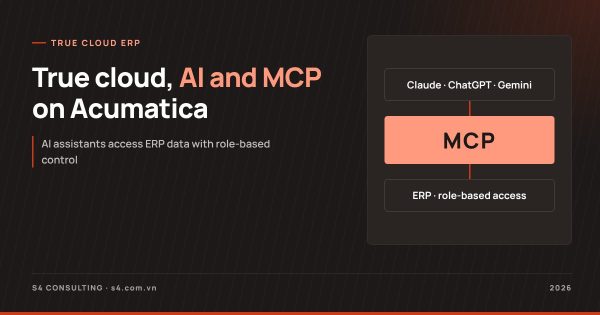
Prioritize true cloud ERP with open APIs, clear documentation and support for AI connection standards. Acumatica offers a REST API and, from version 2026 R2, allows an MCP server to be configured inside the tenant, exposing generic inquiries as tools that AI can call while keeping role-based permissions. NetSuite offers SuiteCloud for customization and the AI Connector Service for connecting AI assistants via MCP. Companies should also evaluate localization packages such as Acumatica localization in Vietnam, because e-invoice integration and Zalo notifications are often already included in the package, reducing the number of workflows that must be built in-house.
We invite you to join Multi-Entity Groups: Beating in Sync to Accelerate on 19 November 2026 to discuss ERP integration with n8n within a group architecture in person.
Frequently asked questions
What is n8n?
n8n is a fair-code platform for building workflows and AI agents, self-hosted or in the cloud, combining drag-and-drop with JavaScript, Python and hundreds of prebuilt integrations.
Can ERP integration with n8n really be done in one day?
It can for common flows with existing APIs, clear documentation and clean data; complex two-way integrations or large data migrations take longer.
Is AI-generated code safe to run against an ERP?
Only when it is reviewed, tested in a sandbox, uses proper API key management and is monitored for errors after going live.
Can n8n connect to AI assistants via MCP?
Yes. The MCP Server Trigger node lets n8n act as an MCP server, exposing workflows as tools for AI assistants to call.
Does a company need a large IT team to use n8n?
Not a large one, but it needs people who understand the business process, APIs and governance rules so that workflows are documented and monitored.