

AI Enablement for Oracle NetSuite · S4 AI ERP Quick Start
Less repetitive work for finance. Instant figures and scenarios for leadership.
S4 AI ERP Quick Start brings Claude and ChatGPT into Oracle NetSuite in 1-2 weeks. AI works on live data, follows the way your company keeps its books, and stays within the access you grant.
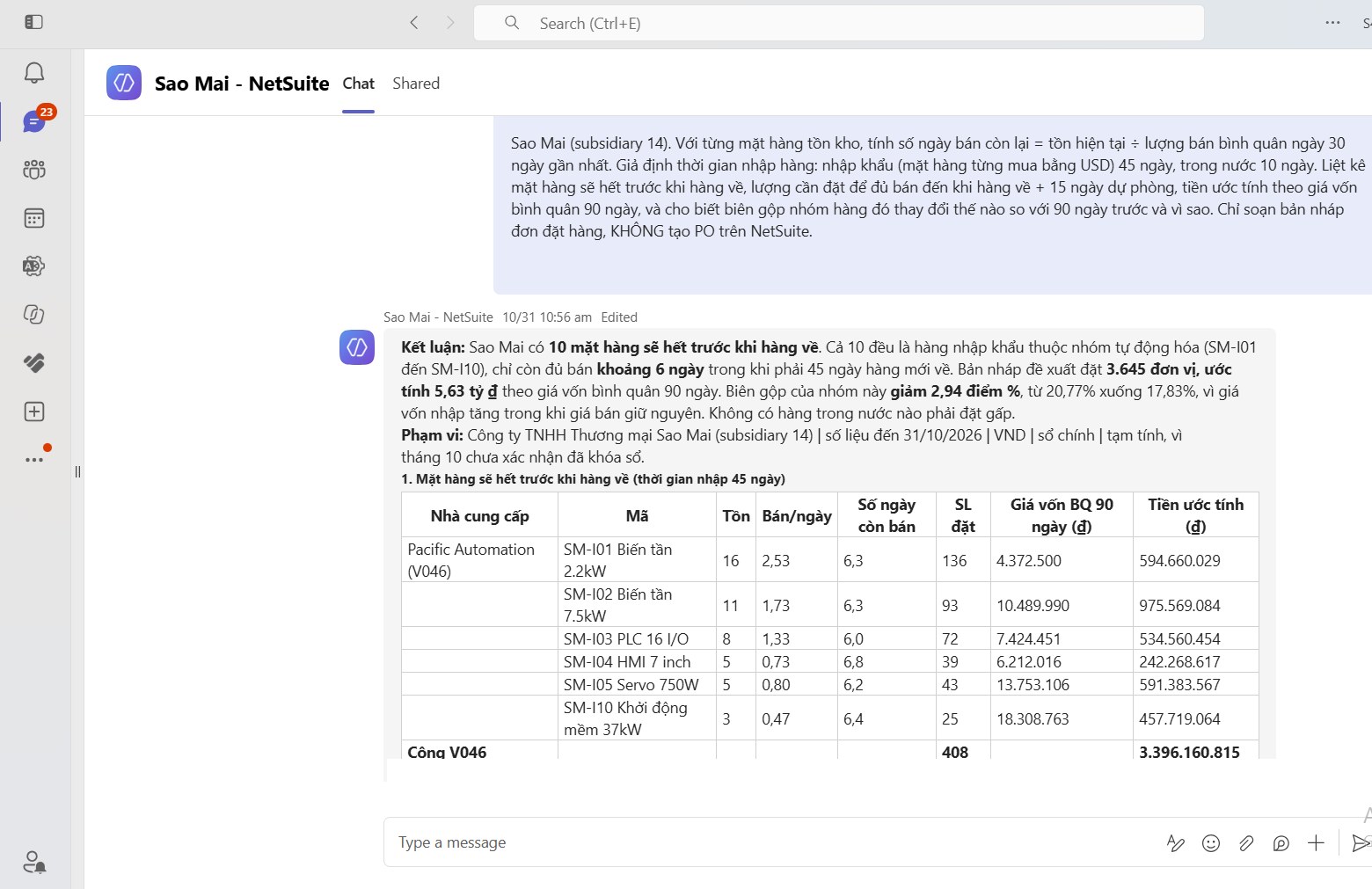
Asked in Teams: AI calculates days of stock left and gross margin, then drafts a purchase order without creating a PO. Illustrative data.
Today
What do companies do without AI on NetSuite?
The four common approaches each solve part of the problem, but lack live data, access control or an understanding of how the company keeps its books.
Excel and month-end reports
It works, but reconciliation takes time, errors surface late and leadership waits for figures.
Export files into personal AI
Fast and familiar, but data leaves the system, figures are stale on export and everyone works differently.
IT follows Oracle guidance
It connects, but AI does not know the chart of accounts, roles are easily over-permissioned and use cases are unclear.
Prompting and office AI
Quick to learn, but disconnected from ERP data and hard to apply to the close.
The difference
Why is a direct AI connection to NetSuite better than uploading files to ChatGPT?
Uploading files to personal AI is quick, but the figures go stale and sit outside NetSuite’s permission model. S4 AI ERP Quick Start addresses this with three principles.
AI reads NetSuite within its permissions
AI queries current figures through NetSuite AI Connector Service, within the role it is granted. Queried data is processed by the AI provider under that service’s policies.
AI follows how your company keeps its books
S4 adds what is specific to each company: detailed accounts, department codes, allocation rules, reconciliation conventions. Users still review the results.
Roles, policy and approvers
A dedicated AI role, read-only at the start. Any record creation has a defined scope and an approval step.
Use-case packages
Which work does AI ERP Quick Start take on?
Each package targets a specific task of the CFO or the finance team. S4 deploys it on your own NetSuite data and measures processing time before and after.
Ask NetSuite in plain language
A figure or a scenario no longer waits for someone to build a file.
- Revenue and margin by period, entity, department
- Year-on-year comparison, explaining large variances
- Receivables and payables over 90 days across entities
- What-if scenarios: COGS up 10%, exchange rate changes
Bank statement reconciliation
Line-by-line matching no longer takes a full day.
- Match statements with NetSuite transactions by each bank’s rules
- Classify matched, mismatched, unrecorded
- Spot bank fees and missing transactions
Pre-close review
Errors are caught before the close, not after.
- Review period journal entries and list exceptions
- Wrong accounts, missing departments, missing tax
Draft documents from one instruction
Less repetitive data entry.
- Draft journal entries from a description, pending approval
- Draft vendor bills from invoice files
AI that knows how you use NetSuite
Answers in context, not generic.
- Full conventions: accounts, entities, allocation, approval flows
- Point to the right report, explain saved searches
Connection and control
Use AI while keeping control of data.
- AI Readiness Check, connection, dedicated AI role
- Condensed company conventions
- AI usage policy
Quick Start: Foundation and 2 packages from A, B, C, about 5 tasks, read-only. Quick Start Plus: adds D and E, about 10 tasks. Exact scope is confirmed during the assessment.
Delivery
What does S4 do in 1-2 weeks?
AI Readiness Check
Assess the NetSuite version, SuiteCloud, permissions, data quality and AI accounts.
Connection and access
Install the MCP Standard Tools SuiteApp, configure roles and set up OAuth 2.0 with Claude or ChatGPT.
Company conventions
Document how accounts, department codes, allocation rules and reconciliation conventions are used, for AI to follow.
Apply to real work
Run the selected tasks on live data and record processing time before and after.
Prompt library
Role-based prompts for the CEO, CFO, chief accountant and accountants, reused every month.
Training and policy
Role-based workshops, how to check AI output, and rules on data use and approval.
| Item | AI ERP Quick Start | AI ERP Quick Start Plus |
|---|---|---|
| Estimated duration | About 1 week | About 2 weeks |
| Packages | Foundation and 2 of A, B, C | Foundation, 2 of A, B, C, plus D and E |
| AI roles and scope | 1 read-only role, 1 entity | Up to 3 roles, draft creation, multiple entities |
| Conventions | Condensed | Full |
| Prompt library | 15 prompts | 30 prompts |
| Workshop | 1 session, 2 hours | 2 sessions: leadership and finance team |
| AI usage policy | 1-page checklist | 2-3 page policy |
| Handover roadmap | 1-page roadmap | 90-day roadmap with estimated time reduction |
| Post-delivery support | 14 days | 30 days |
Actual duration depends on NetSuite readiness, access provisioning and the selected scope.
Data security
Is NetSuite data safe when using AI?
Oracle provides NetSuite AI Connector Service so Claude and ChatGPT connect to NetSuite through MCP, within the permissions of the NetSuite role. S4 configures roles, tools and policy so AI only does the work assigned; you keep ownership of your AI accounts.
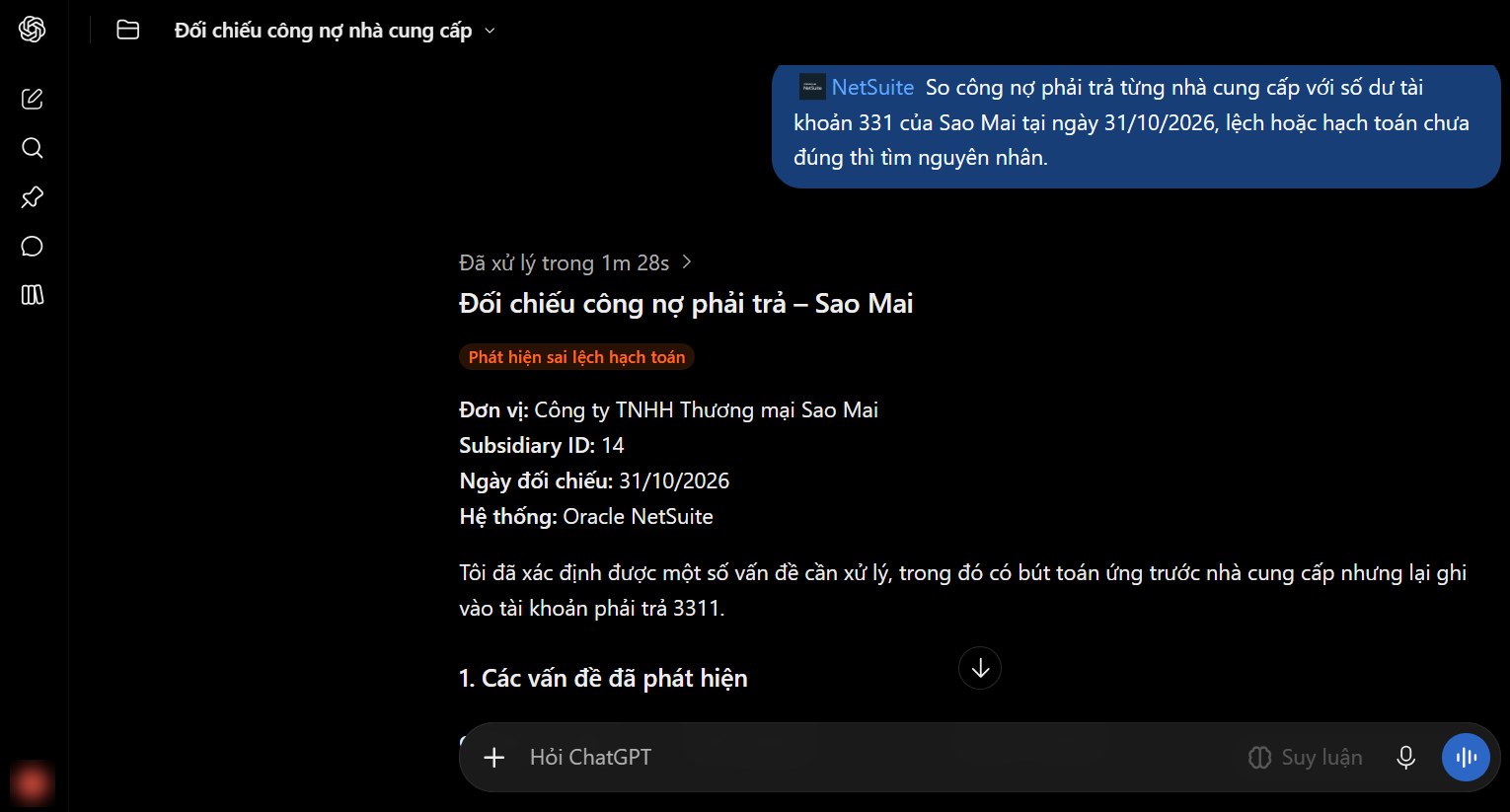
AP reconciliation: AI finds a vendor prepayment posted to payables account 3311. Illustrative data.
AI sees only the records it is granted, starting read-only.
Users authorize the connection; administrators can revoke it at any time.
Quick Start is read-only. Plus creates drafts within an agreed scope, approved by an authorized person before posting.
MCP tool activity is logged; the policy defines data use and approvers.
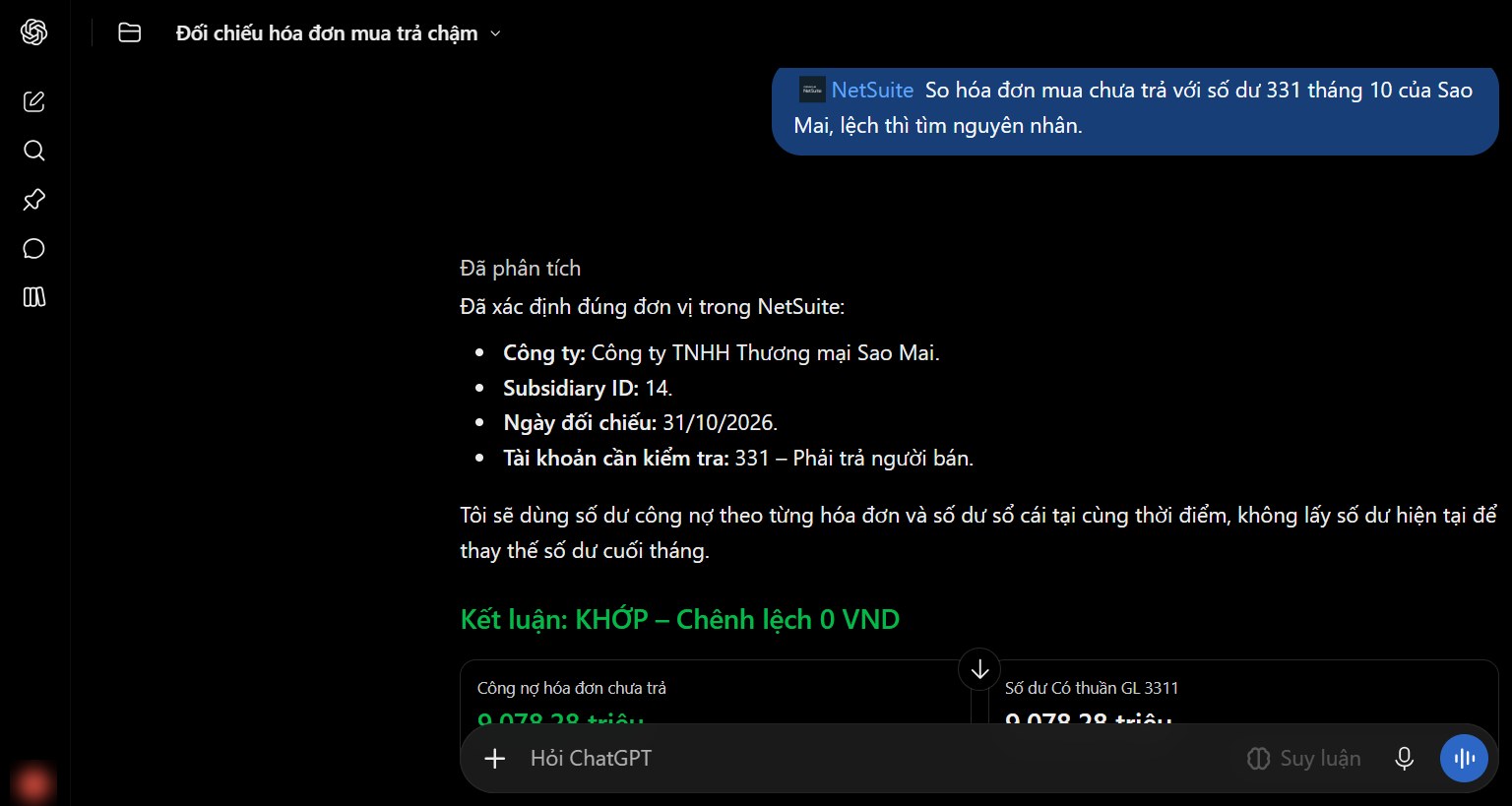
Open vendor bills vs. the 331 ledger at the same date: zero difference. Illustrative data.
Fit
Which companies are ready for AI on NetSuite?
Running NetSuite
Live for 6 months or more, multiple entities or bank accounts, a finance team of 3-15, leaders already using ChatGPT or Claude.
Not ready for AI yet
Not live yet: start with a Fast & Saving NetSuite implementation. Data not clean: start with an operations support package.
AI now connects directly to ERP
Oracle now provides NetSuite AI Connector Service to connect Claude and ChatGPT through MCP. With staff already using AI daily, the question is how to use it correctly and safely.
Roadmap
What comes after this package?
Quick Start is the first step. At the end, S4 hands over a roadmap for the next levels, so you decide based on results you have already seen.
Ask questions on NetSuite data, read-only
AI ERP Quick Start
AI understands your chart of accounts and processes
AI ERP Quick Start Plus
AI creates drafts and runs recurring tasks, under control
Monthly AI operations, automation projects, S4 eSuite
Frequently asked questions
About AI enablement for NetSuite
Did not find your answer? Send your question to an S4 specialist.
S4 AI ERP Quick Start
Start with the task that takes your finance team the most time.
S4 Consulting, an Oracle NetSuite consultant in Vietnam, proposes the scope and sends a cost estimate within 1 business day. Delivery is available online for teams across Southeast Asia.

Need a trusted ERP partner in Vietnam? Let’s discuss your project!