


Barcode Scanning on the Shop Floor in NetSuite: Material Issue, Operations, Completions
For manufacturers running Oracle NetSuite, barcode scanning on the shop floor records material issues, operation progress and finished goods as they happen, instead of paper notes keyed in at the end of a shift. S4’s S4 WMS app lets production teams do all three on a handheld scanner or a phone; each entry is posted to NetSuite as a work order transaction.
Why is production data in NetSuite often late?
Production data lags because recording happens far from the work. Team leads write quantities, scrap and hours on paper; office staff key them into NetSuite hours or days later. Until then, material stock, work in process and costs in NetSuite do not match reality, and planning and accounting wait.
The other issue is the wrong lot. When materials are issued from memory, people pick the wrong lot or an expired one. In food, pharma and chemicals, a wrong lot directly affects traceability.
How does S4 WMS record the three shop floor tasks?
S4 WMS has a Shop Floor group with Material Issue, Operation Report and Completion. Users pick a work order from the pending list or scan the work order number.
Material issue by bill of materials
The app prepares material lines from the bill of materials for the quantity still to issue. Users scan the material, choose a lot (the nearest expiry is listed first) and enter the quantity. Lots that failed inspection are blocked; lots awaiting inspection need confirmation. NetSuite records a Work Order Issue for work orders with WIP.
Operation reports with time spent
For routed work orders, the team selects the operation, starts and stops the timer or enters minutes directly, then enters the completed quantity; the last operation also takes scrap. Operations are reported in sequence, and NetSuite records a Work Order Completion per operation.
Completions with finished-goods lot and expiry
When a batch is done, users enter good quantity and scrap. The app suggests the finished-goods lot and expiry date. Good plus scrap cannot exceed the open quantity. NetSuite records a Work Order Completion for WIP work orders or an Assembly Build otherwise.
Can users follow each document until NetSuite posts it?
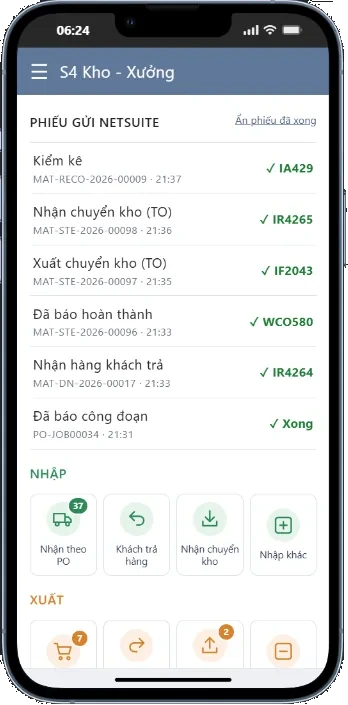
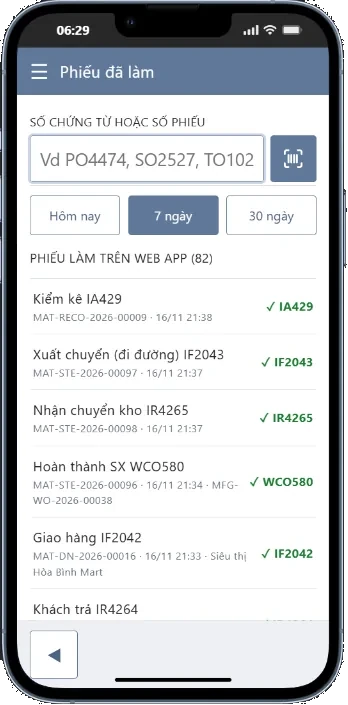
Yes. Each document appears on the home screen as sending, posted with its NetSuite number, or failed with the error. The history screen finds every document by work order number, including material issues, operation reports and completions.
Watch S4 WMS in 8 minutes
The walkthrough is narrated in Vietnamese.
What does a company need to prepare?
- Work orders, bills of materials and routings (if used) set up in NetSuite.
- Items with barcodes or QR codes; without them, users can still search by code or name.
- Handheld scanners or phones with a browser for production teams.
- Access by location and role for each user.
One cost point: S4 WMS lets every warehouse and shop floor worker operate without buying additional NetSuite user licenses. See the full feature list on the NetSuite WMS app page.
FAQ
Which NetSuite transactions does shop floor scanning post?
Material issues post Work Order Issues; operation reports post Work Order Completions per operation; completions post Work Order Completions or Assembly Builds depending on whether the work order uses WIP.
Do production teams need NetSuite user licenses?
No. S4 WMS lets every warehouse and shop floor worker operate without buying additional NetSuite user licenses; each person uses an S4 WMS account limited by location and role.
Can a completion be reported before materials are issued?
Not for WIP work orders: the app requires the material issue first. For non-WIP work orders, materials are consumed at completion from the lots with the nearest expiry.