



3-shift factory payroll on ERP: night shifts, overtime and workshop labor cost
Accurate 3-shift factory payroll needs a system that understands shift rotations, night shifts that cross midnight, late arrivals and night overtime, and then puts labor cost on the right workshop. With S4 eSuite Payroll running inside Acumatica, data flows in one line from the time-clock swipe to the payslip and product cost, on the same platform as finance and manufacturing, so the payroll team no longer checks spreadsheets by hand every period.
This article is based on the demo video of a sample plastics plant running 3 shifts, with a molding workshop and a packing workshop, in the October pay period. Names and figures are demo data, while the logic applies to any plant that runs continuously in shifts.
Why is 3-shift factory payroll harder than other pay models?
A plant running 3 shifts has the hardest payroll because it must handle night shifts across midnight, rotating crews, late arrivals and overtime at the same time. A clock-in at 10 p.m. and a clock-out the next morning belong to the same shift but fall on two calendar days. When time-clock data is checked by hand in spreadsheets, every pay run invites errors and disputes, and the payroll team spends days just reconciling attendance.
The second difficulty is the number of variables: attendance bonus, meal allowance, shift-3 allowance, overtime coefficients, tax-exempt income, piece rates for seasonal crews and commission for sales staff. Each has its own rule. When payroll sits outside the ERP, cost accountants wait until month end to learn the labor cost of each workshop, and product cost is always calculated after the production period has closed.
How does the system schedule a 3-shift, 4-crew rotation and night shifts?
Rosters are generated automatically from a rotation pattern, so HR does not build them by hand each month. In the demo, the three shifts start at 6 a.m., 2 p.m. and 10 p.m. The 3-shift, 4-crew pattern runs an 8-day cycle: two days on shift 1, two on shift 2, two on shift 3, then two days off. From the pattern, a full month of shifts is generated for each crew, and days off are staggered so the plant never stops.
Shift 3 crosses midnight, and the system still treats it as one shift. Hours, meal allowance, the shift-3 allowance and night overtime therefore attach to the right shift and workday instead of being cut into two halves on different dates. Home-made attendance spreadsheets often need complex formulas for this and tend to break when people swap shifts.
How does time-clock data reach payroll?
Swipes are loaded from the time clocks into the system, including clock-ins at 10 p.m. The system matches each swipe against the roster and creates late-arrival slips and overtime requests, flagged for night work. Team leaders just confirm the reason and approve; in the demo, a 25-minute late arrival is approved and locked once payroll is calculated. Because Acumatica does not charge per user, team leaders in each workshop can approve directly in the system.
Closing attendance means locking it: after the period lock, nobody can change that month’s time. Every figure on the payroll traces back to the original overtime request or late slip, so HR answers workers’ questions with source documents rather than spreadsheets. The flow below summarizes the data path from roster to product cost.
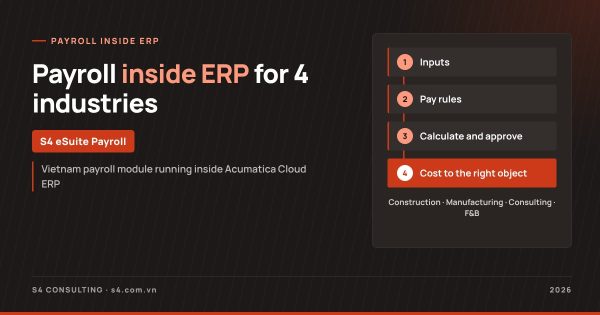
S4 eSuite Payroll flow for 3-shift factories
1. Inputs
- 3-shift, 4-crew rotation, auto-generated rosters
- Swipe data loaded from time clocks
- Late slips, overtime requests
2. Pay rules
- Team leader approval, period lock
- Attendance, meal, shift-3 allowances
- Piece rates by operation
3. Calculate and approve
- Night overtime at coefficient 2.0
- Tax-exempt premium split out
- Automatic insurance and PIT
4. Outputs
- Bilingual payslips
- Labor cost by workshop
- Product costing, payroll dashboard
How are night overtime, attendance bonus and shift allowances calculated?
At month end, the 3-shift payroll is calculated automatically with social insurance and PIT, based on rules set once on the pay group. Changing a rate, coefficient or allowance means changing a rule parameter, with no programming. The table summarizes the items in the demo:
| Item | Demo calculation | Note |
|---|---|---|
| Attendance bonus | Cut by 20% automatically after 3 late arrivals | Configured rule |
| Meal allowance | Shifts actually worked | Calculated in the payroll run |
| Shift-3 allowance | Configured earning for night shifts | Set once on the pay group |
| Night overtime | Coefficient 2.0, including night premium | Labor Code 45/2019/QH14 Article 98, Decree 145/2020/ND-CP Article 57 |
| Overtime premium | Split out of taxable income | PIT-exempt |
| Seasonal piece rates | Output times rate per operation | Paid twice a month |
| Sales commission | Tiered by sales level | Paid only from 80% of target |
Employee and employer insurance follow parameters with effective dates. Statutory parameters such as regional minimum wages, tax tables and family deductions all carry effective dates, so when Decree 293/2025/ND-CP raised the region I monthly minimum wage to VND 5,310,000 from 1 January 2026, the accountant added a new row rather than editing formulas. Tax changes are covered in Vietnam personal income tax 2026 in ERP payroll.
See the payroll module run on your data
S4 demonstrates payroll, social insurance, PIT and labor cost allocation on Acumatica using your own structure of sites, workshops, projects or stores.
How are piece rates by operation and sales commissions handled?
Seasonal crews are paid by output for each operation: trimming, labeling and boxing, each with its own rate. The seasonal payroll takes the amounts straight from the output sheet and pays twice a month, so team leaders and accountants no longer multiply output by rates in spreadsheets. When an operation’s rate changes, payroll updates the rule and the next period applies it.
Sales staff earn a tiered commission on revenue, paid only when they reach 80% of target. This rule is also set once, and each period the system determines the tier and calculates the amount. One payroll module therefore handles 3-shift workers, seasonal crews and sales staff with three different calculations on the same HR and accounting data.
How does labor cost by workshop feed product costing?
Labor cost and employer insurance are split by workshop as soon as payroll is calculated and approved. In the demo, cost is divided between the molding workshop and the packing workshop, ready for product costing with no manual allocation at month end.
Cost accountants get the actual labor cost of each workshop per period, on the same platform as production data in Acumatica. Management follows payroll, insurance, tax and headcount on one dashboard instead of waiting for reports compiled from many files. Manufacturers can read more about Acumatica for manufacturing. Every dong of labor cost lands on the right workshop, on one platform.
How do workers receive and check their payslips?
Workers get a bilingual payslip that explains earnings, deductions and the PIT calculation, and it can be sent by email. A bilingual payslip helps plants with foreign management, since workers and managers read the same document. Before that, the chief accountant approves the payroll and every approval step is kept in the history.
When a worker asks why the attendance bonus was cut or how overtime was calculated, HR opens the source documents at once: the late slip, the approved overtime request and the crew roster. The same module is also configured for construction, see S4 eSuite Payroll for construction, and the four-industry overview is in payroll software inside ERP. Product details are on the S4 eSuite Payroll page.
Frequently asked questions
Is a night shift across midnight split into two workdays?
No. The system treats shift 3, starting at 10 p.m. and ending the next morning, as one shift, so hours and shift allowances attach to that shift.
What coefficient applies to night overtime on a normal working day?
Under Article 98 of Labor Code 45/2019/QH14 and Article 57 of Decree 145/2020/ND-CP, night overtime on a normal day is paid at 2.0; the premium is split out as PIT-exempt.
How does time-clock data enter the system?
Swipes are loaded from the time clocks, matched against the roster, and the system creates late slips and overtime requests for team leaders to approve.
Can attendance be changed after the period lock?
No. Once a period is locked nobody can change its attendance, and every figure traces back to its source document.
Is labor cost split by workshop for product costing?
Yes. Labor cost and employer insurance are split by workshop as soon as payroll is calculated and approved.
References
- YouTube S4 Consulting - Acumatica Manufacturing Payroll for Vietnam - Demo
- LuatVietnam - Decree 293/2025/ND-CP on regional minimum wages (in Vietnamese)
- Tap chi Cong Thuong - What is new in the 2025 Personal Income Tax Law (in Vietnamese)
- Acumatica Blog - 4 ways unlimited user licensing helps businesses