


Review: Acumatica AI Assistant in Acumatica 2026 R1
Acumatica 2026 R1 introduces AI Assistant, an embedded AI capability designed to help users interact with ERP data using natural language. Instead of navigating multiple screens or building reports manually, users can ask questions directly and receive answers instantly inside the system.
This feature represents an important step toward making ERP systems easier to use, especially for managers who need quick insights without deep knowledge of system structures.
AI Assistant Interface
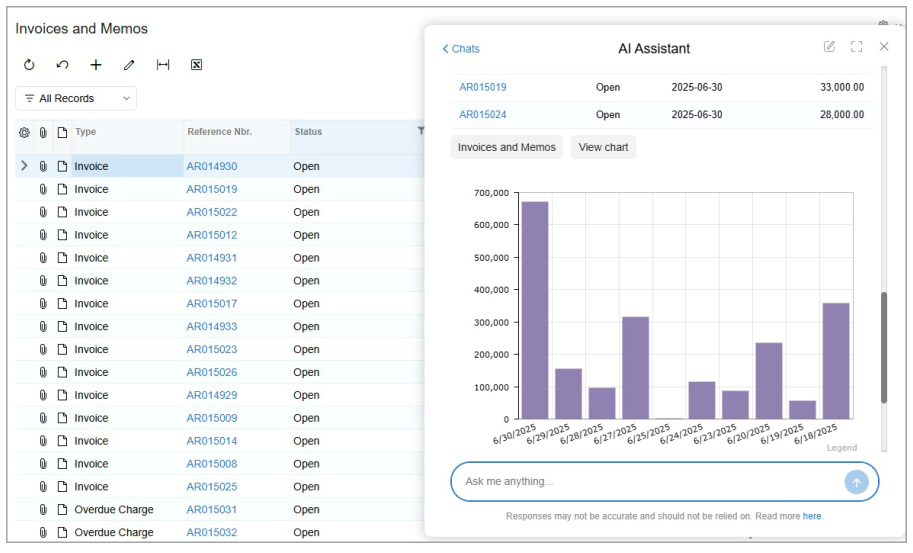
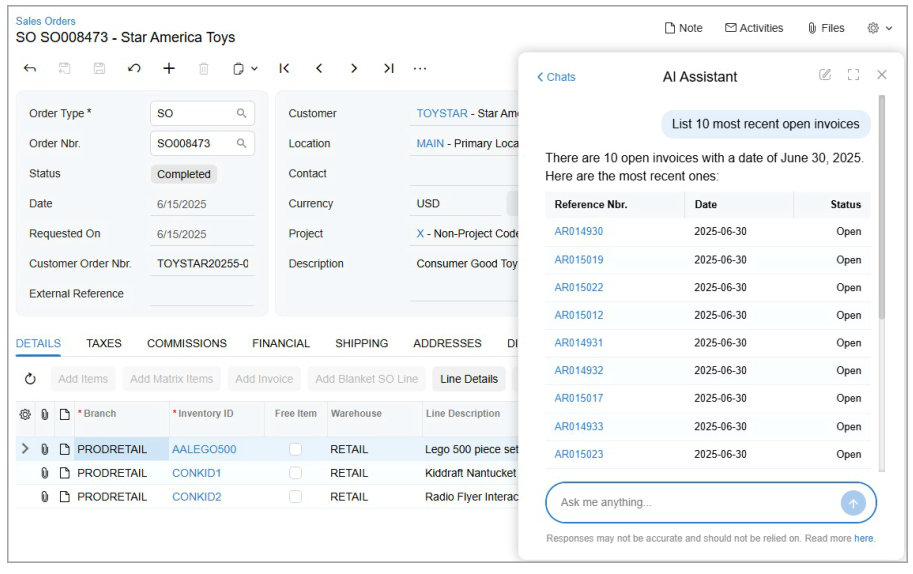
The AI Assistant appears as a chat window within the Acumatica interface.
Users can type questions just like they would when chatting with a colleague:
- What is this month’s total income?
- List 10 most recent open invoices
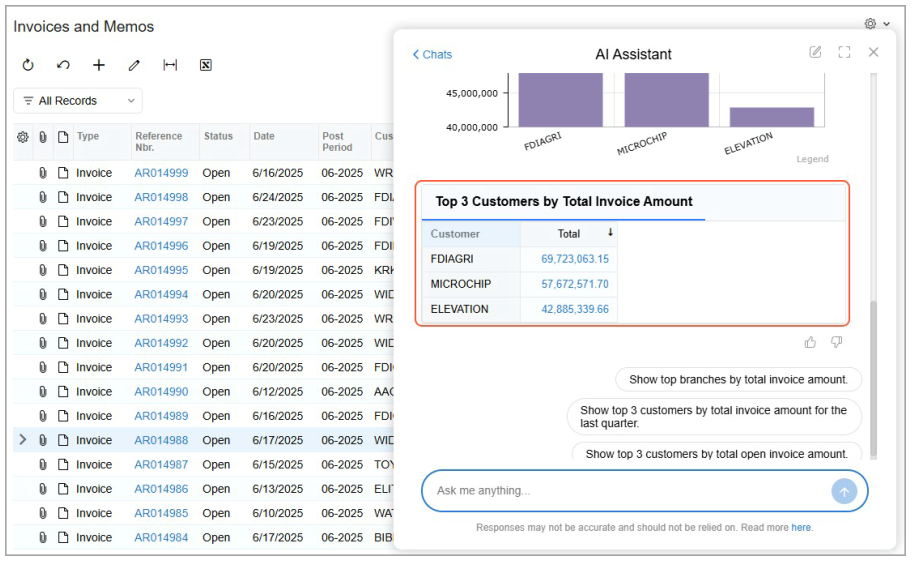
- Show top 3 customers by invoice amount
The system analyzes the request, queries ERP data, and returns the result immediately.
Unlike a generic chatbot, the AI Assistant works directly with the company’s ERP database.
Query ERP Data Using Natural Language
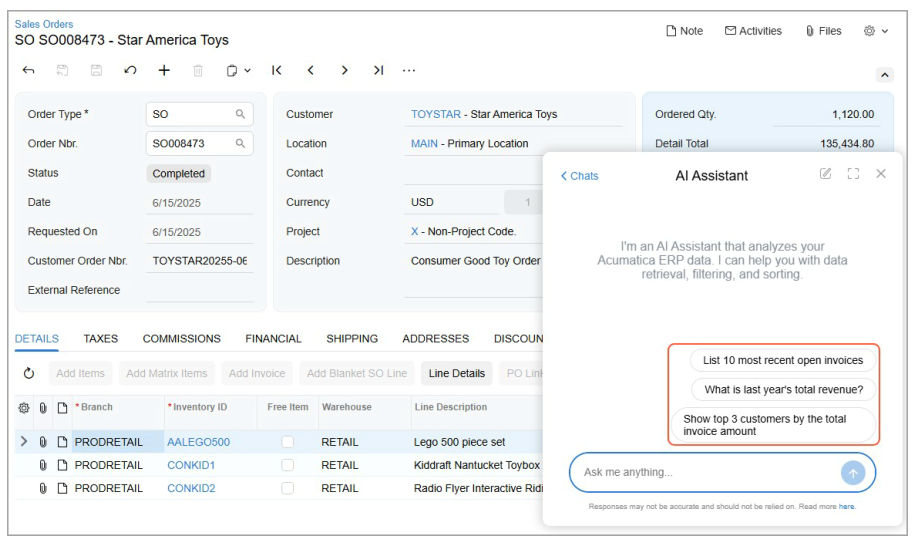
One of the most useful capabilities of AI Assistant is allowing users to retrieve ERP data without writing reports or SQL queries.
For example:
- A CFO might ask about monthly revenue.
- An accountant might request a list of overdue invoices.
- A sales manager might want to see top customers by sales volume.
Traditionally, these requests require navigating multiple reports or exporting data to Excel. With AI Assistant, the process is reduced to a simple question.
Direct Access to ERP Records
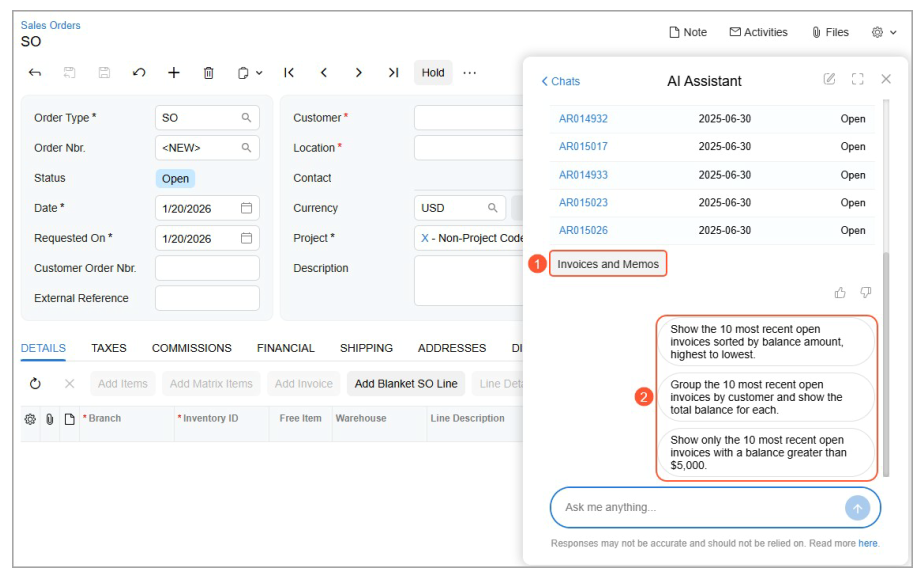
Another practical feature is the ability to open ERP records directly from AI results.
For example, when the AI returns a list of invoices:
- each record includes a link
- clicking the link opens the invoice form in Acumatica
This makes it easy for users to move from data analysis to operational action in a single step.
Automatic Charts and Data Analysis
AI Assistant can return results in different formats:
- tables
- charts
- pivot-style summaries
Typical examples include:
- top customers by revenue
- revenue by month
- invoice totals by branch or location
Users can also expand these visualizations into dashboards inside Acumatica for deeper analysis.
Conversation-Based Data Exploration
Each interaction with the AI creates a chat session.
Users can:
- review previous questions
- continue exploring related data
- organize multiple analysis sessions
This conversational approach makes data analysis feel more intuitive compared with traditional ERP reporting tools.
AI Assistant Uses Generic Inquiry as Data Source
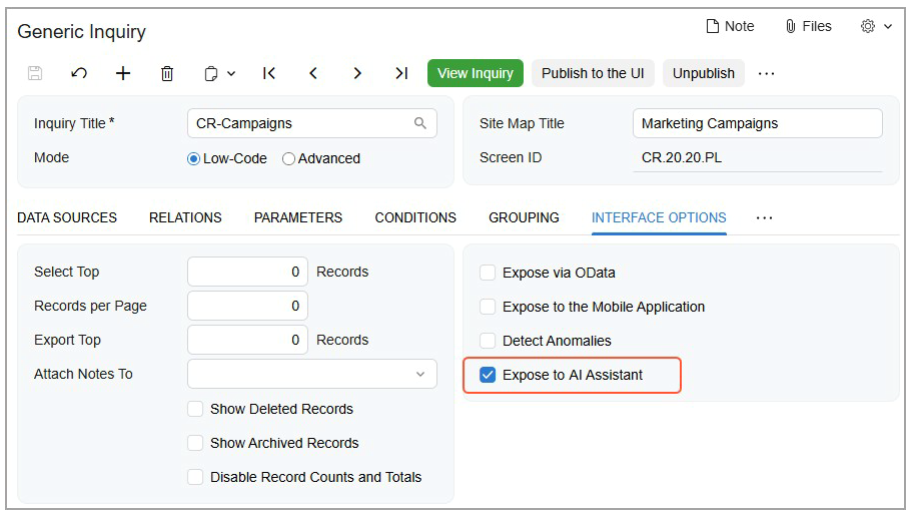
From a technical perspective, AI Assistant relies on Generic Inquiry (GI) as its main data source.
To enable AI queries, administrators typically:
- Create a Generic Inquiry
- Enable the Expose to AI Assistant option
- Add descriptive metadata for AI understanding
- Run AI Assistant data processing
This architecture allows companies to control exactly which data is accessible to the AI.
Monitoring AI Token Usage
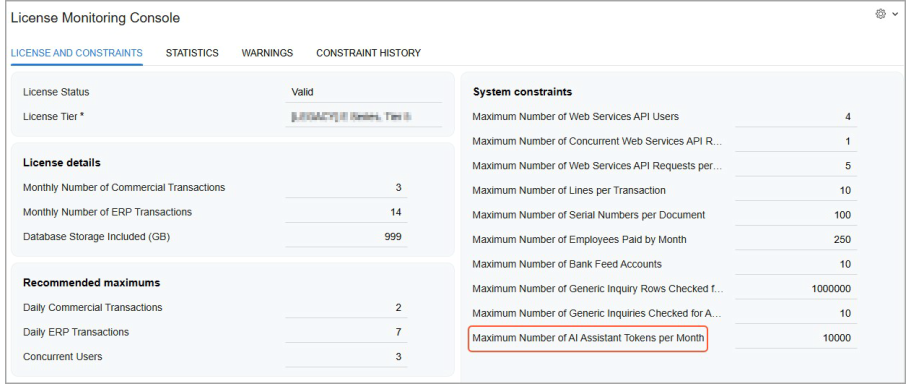
Acumatica also provides tools to monitor AI usage.
Administrators can track:
- AI token consumption
- monthly token limits
- usage statistics over time
These metrics are available through the License Monitoring Console, helping organizations manage AI usage and cost.
About S4 Consulting
In Vietnam, S4 Consulting is a Gold Partner of Acumatica, providing consulting and implementation services for Acumatica Cloud ERP. The company has a team of experienced ERP specialists and applies its well-known Fast & Saving methodology, designed to accelerate ERP projects while controlling implementation risks and costs.
S4 Consulting has implemented Acumatica for a range of organizations in Vietnam, including Wall Street English, Exera, Asia Strategic Holdings, and An Nhiên Cafe. The firm supports companies throughout the ERP lifecycle – from solution consulting and system design to deployment and ongoing optimization based on business data.
Final Thoughts
Acumatica AI Assistant demonstrates how AI can improve usability in ERP systems. By enabling natural language queries and direct access to operational data, the feature helps users retrieve insights faster and reduces the complexity typically associated with enterprise software.
As AI capabilities continue to evolve, tools like AI Assistant could become a key interface between business users and ERP data.